

















Invite your supporters to start fundraising campaigns



Fundraising campaigns in your own CI
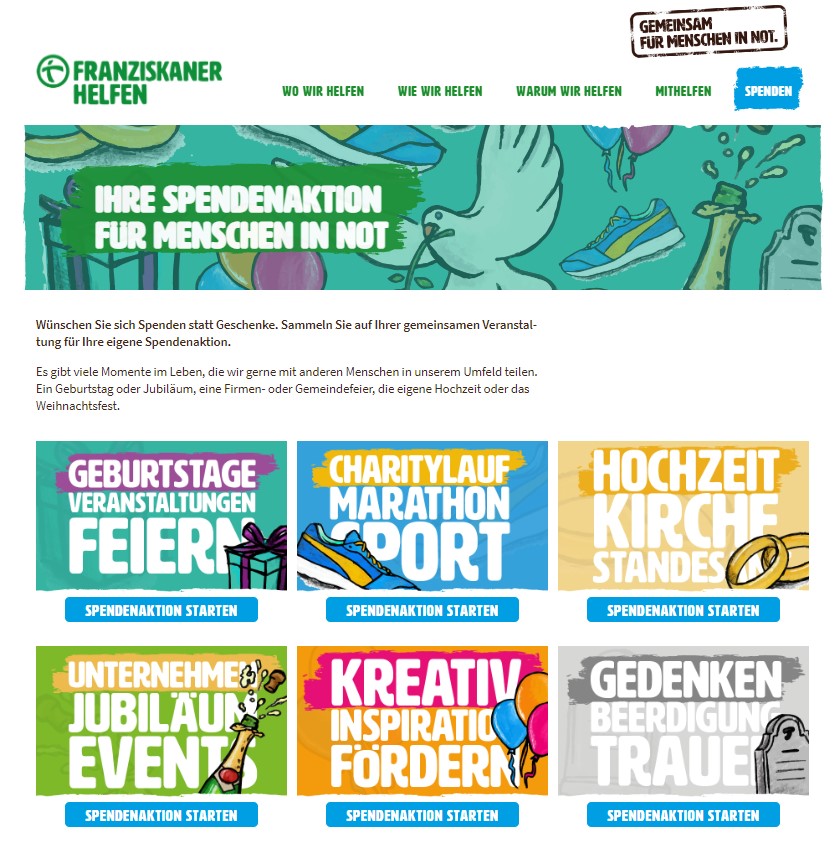
The fundraising pages your supporters create via your website all have your URL and your own design. So your peer-to-peer fundraising offer always adheres to your organization’s CI and tells your story. This generates trust and increases your conversion rate. You can use HTML and CSS to design your fundraising pages.


Automations provide support for your fundraisers
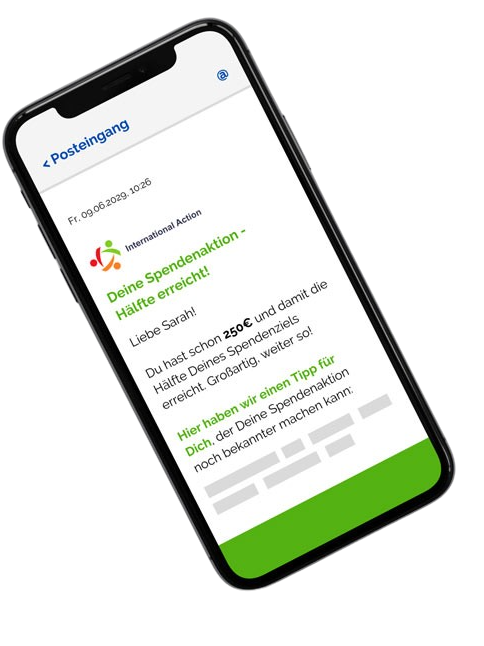
If you would like to know how to turn your supporters into fundraisers and thus gain new donors, we are happy to consult with you free of charge and without obligation.
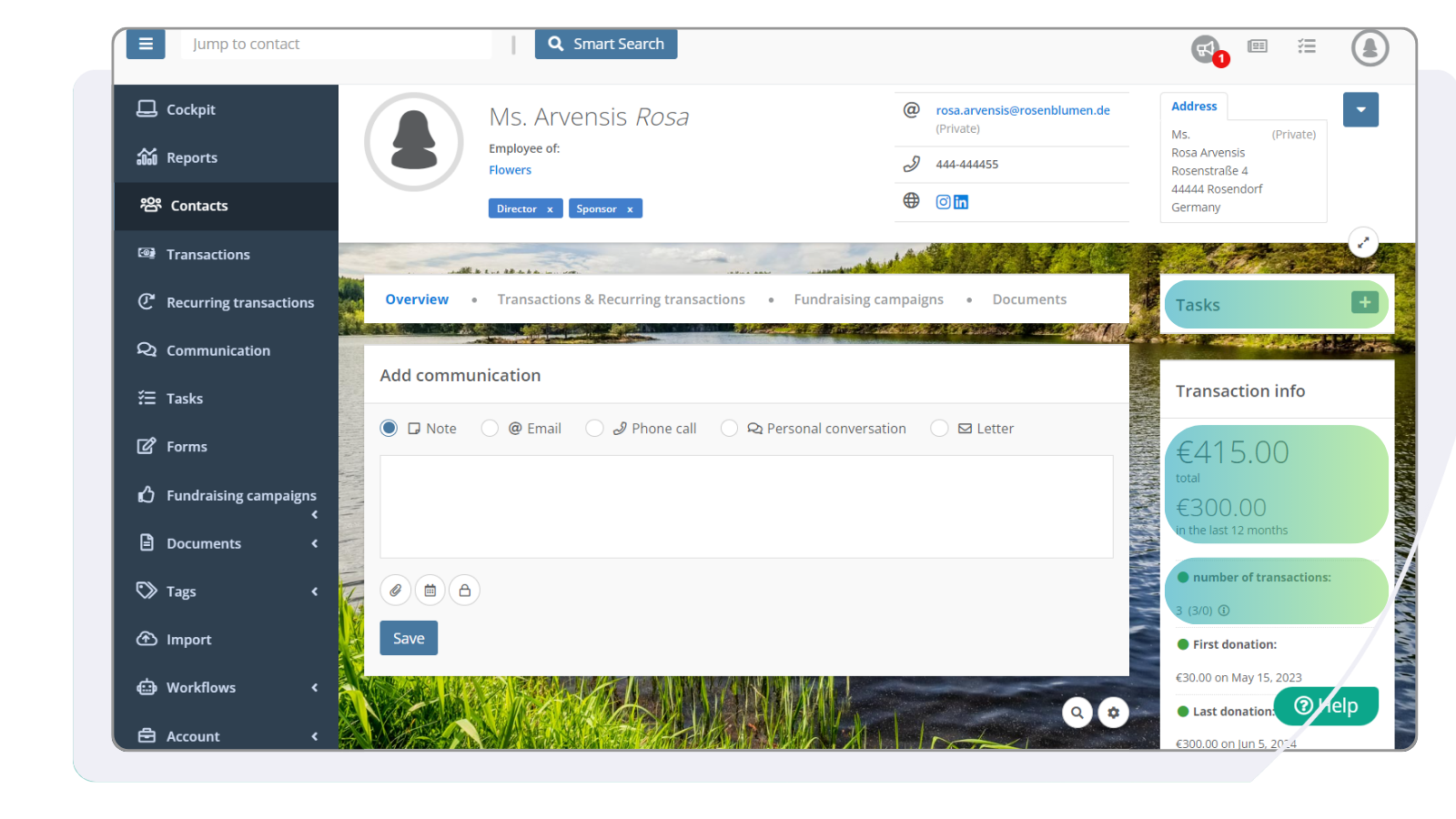
All data directly transferred into the CRM
With the FundraisingBox fundraising campaign tool, all the data gathered through campaigns or peer-to-peer fundraising belongs to you and is directly collected in the integrated FundraisingBox CRM. This saves you time-consuming data imports or interface set-ups.
- Receive new contact details––every new donor is automatically created as a contact in your FundraisingBox.
- No detours––all donations go directly into your account, and are displayed in real time in the CRM.
- Automatically create donation receipts––you can generate donation receipts automatically and send them to your donors thanks to the central data storage.





Motivation through visualization
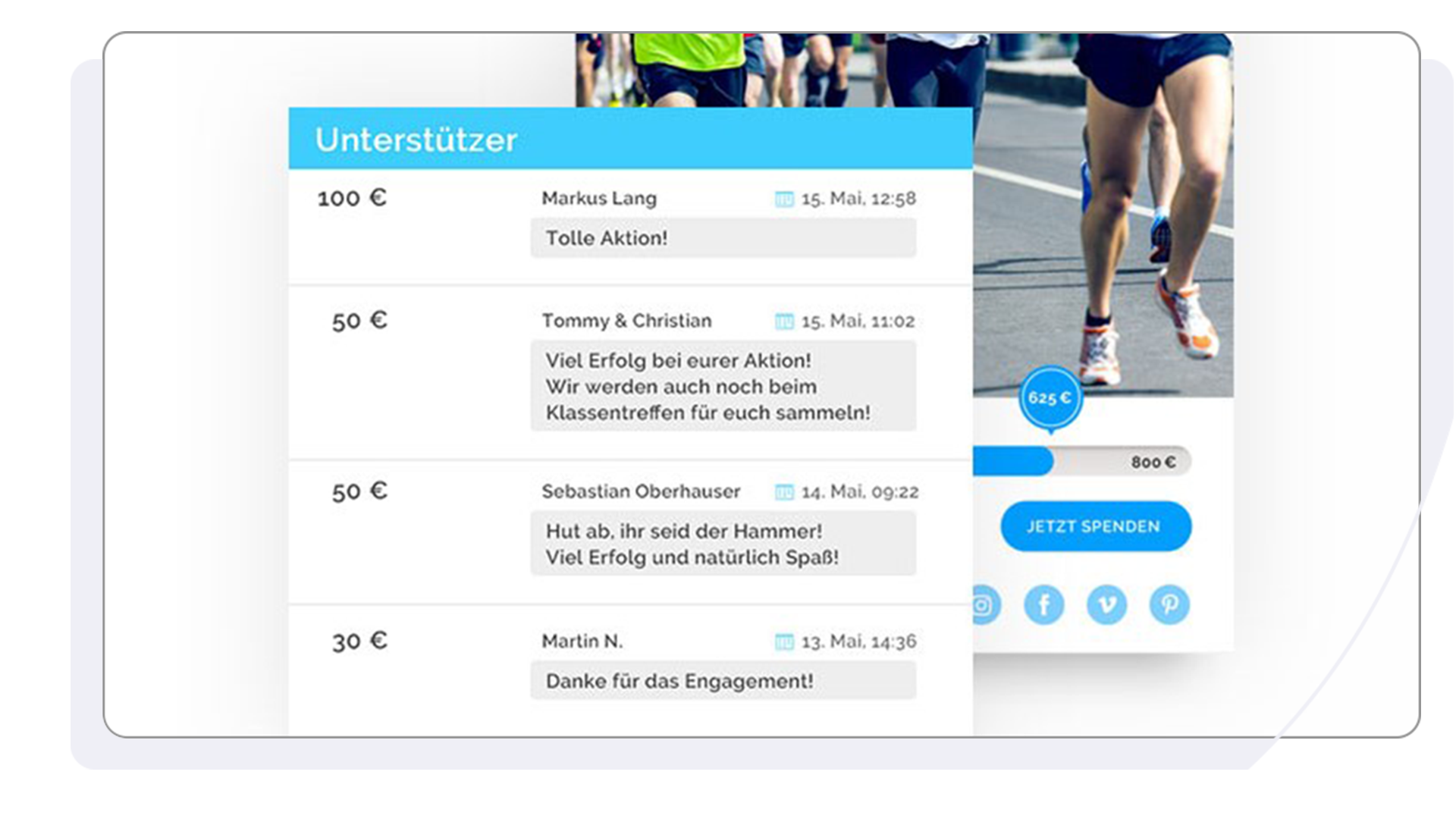
- The donation target sum is an incentive and gives donors a good orientation.
- Donation bars, or thermometers, make it easier for supporters to visualize the success of their fundraising campaigns in real-time.
- The comment function helps your donors interact. Donors can add a user name and choose that the amount they donated is visible to others. This gives other donors an idea of how much they may want to donate, which leads to higher average donations. Donors can also make a comment such as “Great work, keep it up!” or “Congratulations!”. This sort of interaction makes the fundraising campaign even more successful.
Companies, their employees, and also influencers can collect donations for your organization through the fundraising campaign tool. To make your campaigns target-group specific on your website, you can filter your current fundraising campaigns and show each category on a separate page.
Naturally you can use the campaign tool yourself and implement it for example within a landing page for a specific appeal or separately branded campaign––with or without the peer-to-peer option.